 LawnWire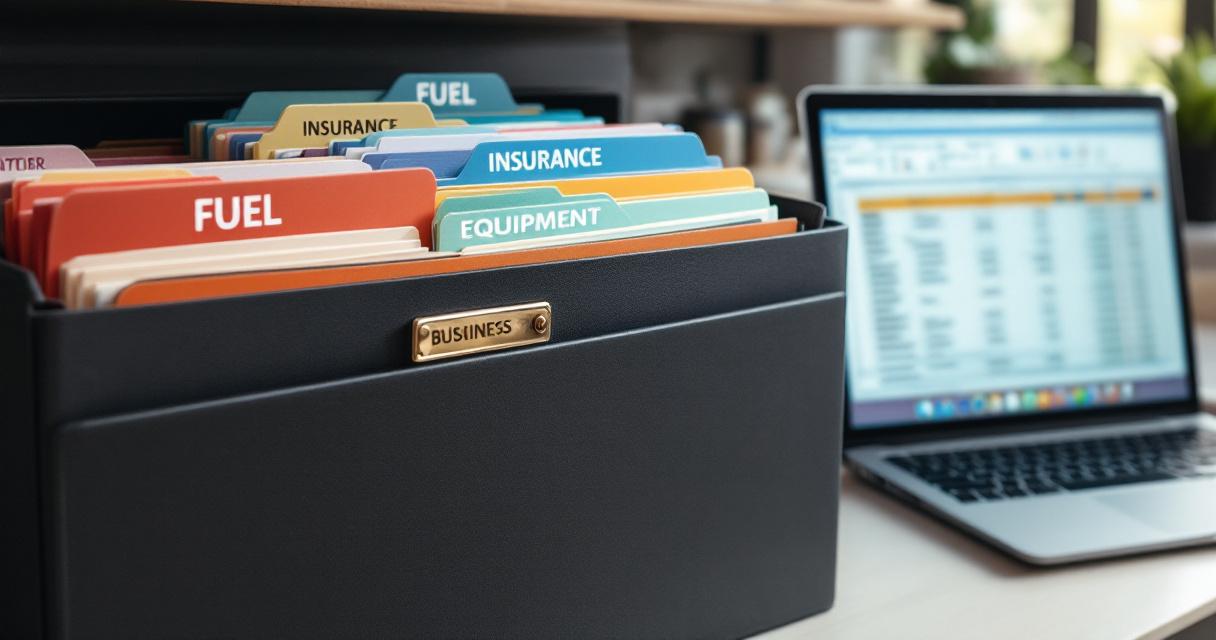
It's April. Your accountant emails: "Send me your P&L and a categorized expense report."
You stare at the email. You have bank statements, a Venmo screenshot, forty-three Home Depot receipts in the truck door pocket, a spreadsheet you stopped updating in July, and a stack of handwritten notes that say things like "Hendersons — paid cash $240 — June?" You'll spend the next three weekends reconstructing the year from memory and PDF statements.
Then you'll pay your accountant another $600 to clean up what you submitted, because the bank feed was miscategorized and there are duplicate transactions everywhere.
This happens to most lawn operators every year. It's 100% avoidable. The fix isn't more skill or a fancier tool — it's a short, repeatable weekly rhythm that takes less time than your Sunday coffee.
The Real Goal: Never Do Tax-Time Archaeology Again
Here's what nobody tells you about lawn care accounting: you don't need to be good at it. You need to be consistent.
If you can keep a running record of every dollar in, every dollar out, categorized the same way every week, you're ahead of 80% of lawn care businesses. That's it. The bar is genuinely that low. Clearing it means:
- Tax prep takes hours instead of weekends
- Your accountant charges you less because the books are clean
- You actually know whether this month was profitable — which informs pricing, hiring, equipment decisions
- You stop losing $10,000+ in missed mileage and equipment deductions because nobody logged them
Accounting isn't a second career. It's a 90-minute-a-week habit that pays back 100x at tax time.
Three Questions Your Books Should Answer
Strip away the theory and your bookkeeping exists to answer exactly three questions, at any moment:
- How much money came in? This month, this quarter, this year. By service type if you offer more than mowing.
- How much went out? Sorted by category so you can spot trends (fuel doubled, insurance went up, etc.).
- What do I owe in taxes? A running estimate, not a surprise in April. 25-30% of net profit, set aside in a separate account.
That's it. If your system answers those three questions in under a minute on any given Monday, you're done. Everything beyond that — project profitability, cash flow forecasts, departmental breakdowns — is optimization you can add later, if ever.
Your Chart of Accounts (Keep It Short)
Your "chart of accounts" is just the list of categories you sort everything into. The mistake most operators make is adding too many. The temptation is to track "Diesel for truck" separately from "Gas for mowers" separately from "Mixed fuel for trimmers" — and then forget which is which three weeks in. Now your data is garbage.
Pick the minimum categories that still let you answer the three questions above. For a lawn care business, that's:
Income (pick the ones that apply)
- Mowing revenue — your core recurring service
- Landscaping / install work — one-time projects, mulch, beds, plantings
- Seasonal services — aeration, overseeding, cleanups
- Chemical applications — fertilizer, weed control (if licensed)
- Snow removal — winter revenue
- Other — equipment resale, referral fees, consulting
Expenses (this is the full list — don't add more)
- Labor — wages, payroll taxes, workers' comp
- Fuel — everything that burns (truck + equipment combined)
- Equipment purchases — mowers, trimmers, hand tools over $500
- Equipment maintenance — blades, belts, oil, repairs, parts under $500
- Vehicle expenses — truck payment, maintenance, tires, registration
- Insurance — general liability, commercial auto, workers' comp
- Materials & supplies — mulch, fertilizer, seed, trimmer line, bags
- Marketing — website, ads, door hangers, yard signs
- Software & subscriptions — scheduling, invoicing, accounting
- Professional services — accountant, attorney, bookkeeper
- Office & admin — phone, internet, printing, postage
- Licenses & permits — business, pesticide, state registrations
That's 12 expense categories. More than enough detail to see trends. Few enough that you'll actually use them.
Your Daily / Weekly / Monthly Rhythm
This is where accounting becomes painless. Break it up and nothing is ever overwhelming.
Daily — 2 minutes
- Photograph any receipts from today (fuel, parts, supplies)
- Note any cash payments received (amount + customer name)
Do this while you're eating lunch or sitting in the truck at the end of the day. Use your phone camera with a dedicated album called "Receipts" — that's a working system. You don't need Dext, Expensify, or any other app until you're processing 50+ receipts a week.
Weekly — 15-20 minutes
- Record all income received (reconcile invoicing records against bank deposits)
- Categorize the week's expenses
- Check accounts receivable — who hasn't paid yet?
- Log business mileage if you're not using an automatic tracker
Sunday evening or Monday morning. It's fresh enough that you remember what each charge was for. If you skip a week, you'll spend 45 minutes instead of 20 trying to remember whether that $87 at Tractor Supply was blades or trimmer line.
Monthly — 60-90 minutes
- Reconcile your bank and credit card statements against your records
- Review total revenue vs. total expenses — are you profitable this month?
- Transfer 25-30% of net profit to your tax savings account
- Check cash balance — enough to cover next month's fixed costs?
- Review aged receivables — anyone past 14 days gets a personal text
The monthly review is where you actually learn something. Seeing that fuel costs jumped 20% or that materials doubled from last year gives you information you can act on — which feeds directly into next season's pricing.
The Tools, By Business Size
The best accounting tool is the one you'll actually use consistently. Recommendations by size:
Under 20 customers → Spreadsheet
A Google Sheet or Excel file with tabs for income and expenses is genuinely enough. Columns: date, description, category, amount. Sort by month. Total it up. 15 minutes a week. Cost: free.
Don't let anyone guilt you into upgrading before you need to. A spreadsheet with clean data beats expensive accounting software you only use at tax time.
20-75 customers → Wave Pro or Xero Early
Once you're processing meaningful volume, dedicated accounting software saves time and reduces errors. Wave Pro at $19/mo gets you bank feed, auto-categorization, and late payment reminders. Xero Early at $25/mo gives you the same plus a cleaner reporting experience and a better API if you want to sync other tools.
At this stage, connecting your business bank account and credit card to the accounting software eliminates most manual entry. Transactions import automatically — you just categorize them.
Note on Wave: As of 2025, Wave moved bank import, auto-categorization, and late-payment reminders to their Pro tier. The free Starter tier still works for unlimited invoicing, but you'll be manually entering every expense. For a real accounting workflow, budget for Wave Pro.
75+ customers or any employees → Xero Growing
When you have payroll, multiple revenue streams, or enough volume that a spreadsheet would creak, upgrade to Xero Growing at $55/mo. Unlimited invoices and bills, proper cash-flow dashboards, clean audit trail for your accountant, and excellent integrations.
This is also the stage where a monthly bookkeeper ($200-$500/mo) starts paying for itself. They handle data entry and categorization so you can focus on running the business.
Disclosure: LawnWire runs its own books on Xero. We migrated off QuickBooks and it was the clearest software decision we've made.
What about QuickBooks?
QuickBooks is the default American accountants recommend. It's also the most expensive ($38-$275/mo), the most overbuilt (it's designed for inventory-heavy retail), and famously hard to leave once your data is inside. We have a full breakdown of the tradeoffs in our Xero vs QuickBooks vs Wave vs FreshBooks comparison.
If your accountant requires QuickBooks and won't work with anything else, use it. Otherwise, one of the lighter tools will serve you better at a fraction of the cost.
What about lawn care software?
Tools like LawnWire, Jobber, and Service Autopilot handle the operational side — scheduling, recurring invoicing, customer communication, payment collection. They're not replacements for accounting software; they feed into it. The ideal setup is lawn care software for operations and Wave/Xero/FreshBooks for financial record-keeping, with the two connected — which is exactly what LawnWire's accounting integrations handle automatically.
If you use automated billing, your entire income side is already tracked. Half your bookkeeping is done before you start.
The Mileage Deduction (Don't Skip This)
The single largest deduction most lawn operators miss is mileage. The 2026 IRS standard rate is $0.70/mile. A typical lawn business drives 15,000-25,000 business miles a year hauling equipment between properties. At that rate, you're looking at $10,500-$17,500 in deductions.
But you can only claim it with a proper log showing date, destination, business purpose, and miles. Without the log, you get zero.
Don't do this manually. Apps like MileIQ or Everlance run in the background and track every trip. You swipe left/right at the end of each day to classify business vs. personal. Costs $5-10/mo, saves you thousands.
Note: you can choose standard mileage OR actual vehicle expenses (fuel, maintenance, insurance) — not both. For most lawn operators the standard mileage deduction wins by a lot. Talk to your accountant if you drive a very expensive or very cheap vehicle and want to run the comparison.
Your End-of-Year Checklist
Work through this every December or early January. If you've been keeping up weekly, this takes an afternoon — not weeks.
- Reconcile all accounts. Make sure your records match bank and credit card statements for every month. Fix discrepancies now, not in April.
- Finalize mileage. Export the report from your tracking app or total your manual log.
- Organize receipts. Digital folder organized by month. Confirm you have documentation for anything over $75.
- Prepare 1099s. Any contractor you paid $600+ during the year gets a 1099-NEC by January 31. You need their W-9 (legal name, address, tax ID).
- Review equipment purchases. List every piece bought during the year for Section 179 or depreciation. Purchase price, date, business use %.
- Home office deduction. If you have a dedicated admin space at home: measure the square footage. Simplified method is $5/sq ft up to 300 sq ft = $1,500 max.
- P&L summary. Total revenue minus total expenses = net profit. This is what your tax return is built on.
- Last year's return. Pull it for your accountant — they'll want it for comparison and carryovers.
- Book your accountant early. Good CPAs fill up fast in January-February. Don't wait until March.
If you've done the weekly/monthly rhythm, this is a few hours. If you haven't, this is a few weekends. Same work either way — the question is whether you do it in small bites or all at once. If all your invoicing has been running through LawnWire, your P&L is already most of the way done before you start.
Frequently Asked Questions
Do I really need accounting software for a small lawn care business?
Under roughly 20 customers, a spreadsheet is genuinely enough — income tab, expense tab, reconcile monthly, done. Past 20 customers (or once you have any employee), move to Wave Pro ($19/mo) or Xero ($25/mo). The break point isn't the number of customers — it's the moment you're copying the same row pattern every week. That's your signal to stop doing data entry and start using a tool that imports from your bank.
What should I track for a lawn care business?
Three things: (1) every dollar in — who paid, when, how much, for what service; (2) every dollar out — categorized by type (fuel, equipment, labor, insurance, materials, etc.); (3) mileage — at $0.70/mile for 2026, a typical lawn business drives 15,000-25,000 business miles a year for a $10,500-$17,500 deduction. Everything else is optional. Consistency beats completeness every time.
How much time should accounting take each week for a lawn care business?
At a well-run small operation: two minutes a day for receipt photos, 15-20 minutes on Sunday for the weekly categorization and AR review, an hour once a month for reconciliation and tax set-aside. Total: roughly 90 minutes a week. If you're spending more, your system is too complex. If you're spending less, you're probably missing deductions.